Embedding Planet eStream content into Canvas
Here is a quick guide to embedding Planet eStream content into your Canvas course. For more details of how to create screen recordings please visit this guide on creating screencasts.
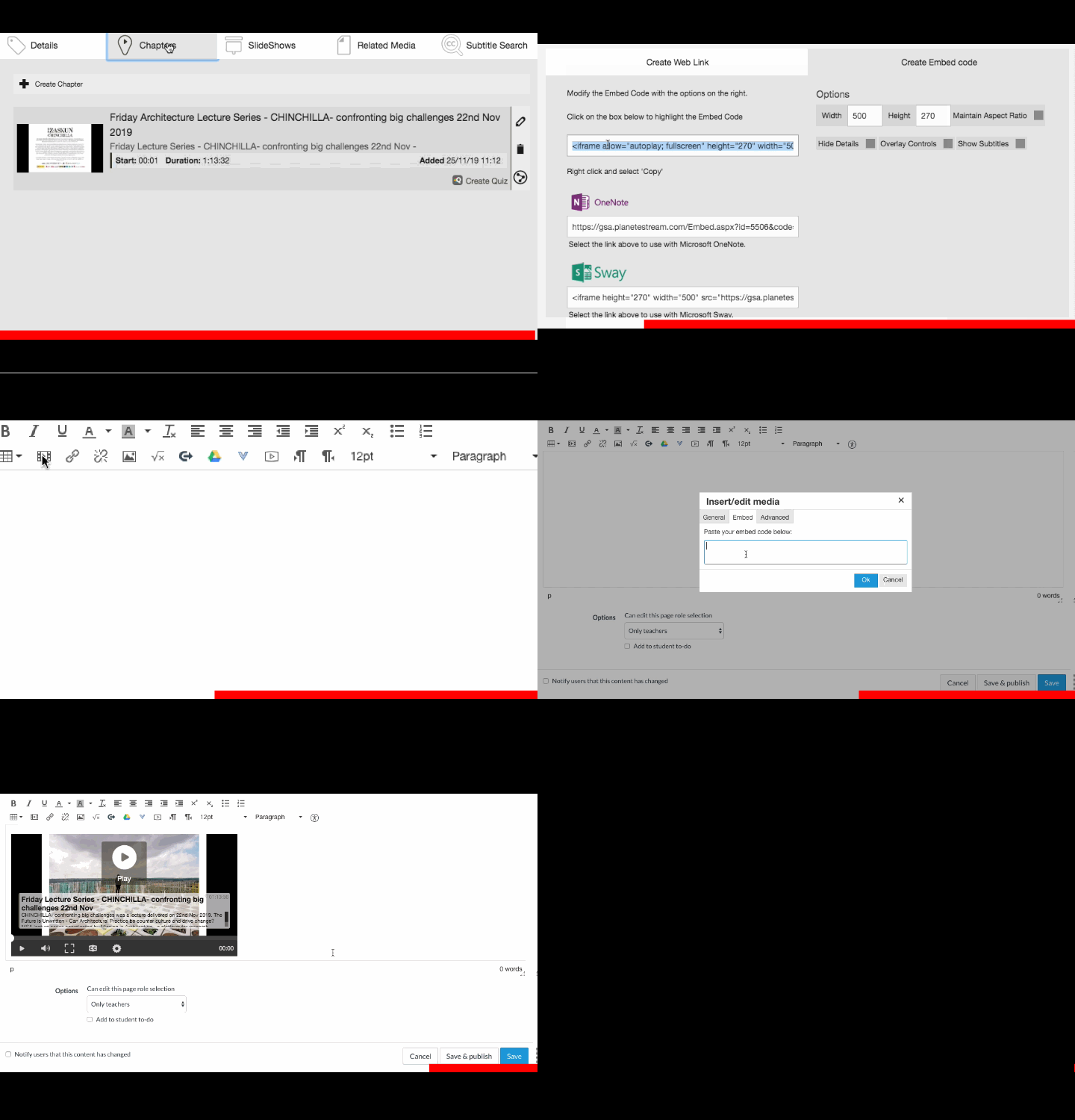
To embed Planet eStream content into a Canvas page follow the simple process detailed below.
Happy New Year!
Learning Technology Team
To embed Planet eStream content into a Canvas page follow the simple process detailed below.
- In Planet eStream, select the content you would like to embed
- In the video's 'Details' area, select 'Share' then 'Share by embedding'
- Copy the embed code supplied
- Switch to your Canvas page , and select 'Insert/Embed Media' from the toolbar
- Select the 'embed' Tab and paste your embed code
- Click OK and Save your changes to the page.
Happy New Year!
Learning Technology Team
Comments
Post a Comment